
>>>> LATEST POSTS >>>>
- Raspberry 5 Trixie
- Synchronizing with Lightroom
- Tag your images with Office for free
- CHATGPT and YOU.COM
- Generate an image by description
<<<<< LATEST POSTS <<<<
Chat with ChatGPT – GPT5
CHAT
Generate a QR CODE
QR CODE
Learn about colors
colors (tagger.biz)
Emergency and Tools
Status Facebook, Messenger, Instagram, Google
https://downdetector.com/
Status all websites
Check If Website Down – Website Status & Downtime Checker Tool
Speedtest
Speedtest by Ookla – The Global Broadband Speed Test
Check performance single websites
PageSpeed Insights Check Performance
Speedometer Benchmark for Browsing
Speedometer 3 (browserbench.org)
GENERATE AN IMAGE BY TEXT: DALL·E Now Available Without Waitlist
CHAT GPT GENERAL INFO
Hyperlinks
We’ve collected many useful links concerning culture (museum), Windows, video, Linux.
If you’re curious have a look on the left:
Hyperlinks search / Hyperlinks Maestro
Helping you with solving your problems in programming and finding the right sources (even in tourism!)
I (Ed Leijnse) started TAGGER.biz with the intention to offer software for tagging of images. You can read the whole story below (History).
Now this site is meant to help you in common problems, like searching for Hyperlinks or programming in WordPress, Python or PHP.
If you have any questions: I’ll be glad to help you! Simply leave a comment, I will read it and give you an answer. If the question is of common interest, of course I’ll publish it.
WordPress tips
Instead of programming everything all by myself, I’ve started to take WordPress more seriously. You can see some of the results in https://hobbyt.ch
I’ve found out some cool tricks to build a configurable Webshop.
Trade off: you have to use some plugins (and you have to pay for them!):
ninjaforms, nf views, themes (Weston), envira galleries: it adds up to CHF 500 a year if you want/use them all. But, you’ll be surprised with the results, so I’ll tell you anyhow.
See: category WordPress.
Motivation
I’ve refactored TAGGER.biz in a blog with programming tips and tips for making your workplace as comfortable as can be (remote access from your Mac to your PC and vice versa).
About programming: the idea is to keep things simple (KISS – keep it simple stupid – this philosophy made IBM big one time, remember Big Blue?)
The first series is about how to program a famous calculator, the TI-84 from Texas Instruments. I’ll show you how to develop small python utilities that are multi-platform (you can run them on a desktop or on a TI-84 Python edition)
If you have any wishes for future blog-items: please let me know, the simplest way is to leave a comment on a blog post.
Have fun and take care!
Mr. Ed
History
We’ve developed software to tag images using Cloud services from Google and Microsoft.
We were confident and enthusiastic about the product and spent many hours developing the system: Thank you, Elena Dimitriou, Julian Georgiou, Cesar Martins, Mylena Camargo, for your never-ending support. We learned a lot and had a lot of fun working together.
But, remember the famous Rolling Stones song: “You can’t always get what you want”.
Probably because of the complexity of the process we don’t have enough customers to carry on with the development of the system. And, besides that, we’ve found out there’s a competitor that works easier, better and much cheaper. It’s a german based AI company called PRC, pattern recognition company with a product called “Excire”.
Excire is cheap (under €100), runs locally on your computer, has it’s own databases, and even has a plugin for Lightroom. We’ve tested this product and we can recommend this product.
What we’re still offering
We will offer you support if you have any questions regarding tagging of images or organizing your data locally or in the cloud (DropBox or OneDrive). We can help agencies to work fluently with images and tagging all over the world, that’s our business, you can ask your questions here.
WHAT TAGGER.biz did
TAGGER.biz adds keywords to images. Default language is English, other languages as an option.
You’ll be surpised what we can do for you: take a look here: you’ll get your keywords from “Microsoft Vision all keywords” categorized with a confidence level to make it easy to narrow down your selection (0_ low level recognition, 9_ best recognition). You can decide if you want simple keywording of JPG images. Or if you prefer to have your RAW files tagged. Details here.
Our customers have mostly different needs. But they all need keywords. TAGGER.biz helps them.
Elena is a hard working, talented and young photographer, who’s interested in doing her job perfectly. She wants everything that’s not essential for her creativity to be done as quickly as possible, no tech stuff!

Elena explains..
I have a great deal of photos and collections in Lightroom and I used to find it extremely hard to find that one particular photo I was looking for.
With TAGGER.biz, I realized that there’s an easy way to add keywords (tags) to my image collections in Lightroom. I can now find the photo(s) I’m interested in instantly!
The best thing about TAGGER.biz is that it’s incredibly simple to use:
I can generate all keywords for one collection in a single TAGGER.biz run, all I have to do is click on “start”!
Working with keywords in Lightroom:
[showhide type=”samplesFromElena” more_text=”explain/don’t explain (%s Words)” less_text=”explain/don’t explain (%s Words)” hidden=”yes”]
Let’s see how keywords appear in my Lightroom after tagging them.
Here are some samples from my Instagram collection
If I want to find black and white portraits, I’ll type the words “portrait black”.

This is a sample of what I’ll get:
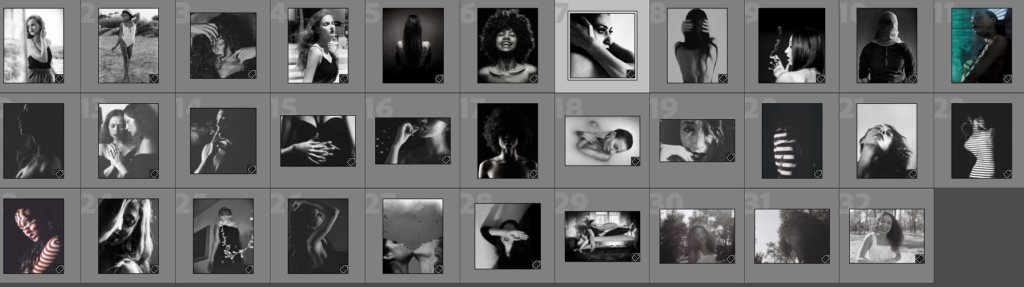
I’m sure I had some nice photos with red leaves


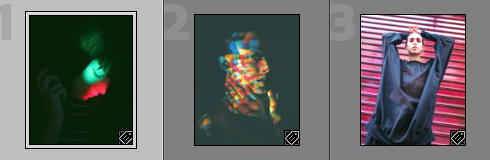
What about the images with hands?


But only the colored ones

[/showhide]
Ed explains...
I always wanted to develop this product. I started with it 2 years ago.
After my retirement in November 2019 I could really concentrate me on TAGGER.biz: image-recognition in big collections. After many years of digital photography I’ve produced a large collection of untagged images: it was a chaos, not possible to find anything.
So, after one year of hard work, together with the support of Elena (KISS: keep it simple stupid) and Cesar (Lightroom requirements), we can now present you:
[showhide type=”explanationsFromEd” more_text=”explain/don’t explain (%s Words)” less_text=”explain/don’t explain (%s Words)” hidden=”yes”]
TAGGER.biz tech stuff
- a utility that tags tons of images
- a keywording utility for collections
- can directly tag your original images in Lightroom
- currently support for 3 keyword providers
- extendable with other providers
- customizable with special requests
- most RAW formats are supported
- DNG
- NIKON, CANON, SONY, FUJI, PANASONIC
- LEICA, HASSELBLAD, OLYMPUS
- generates EXIFTOOL loadfiles for Windows and Mac
- can be used in workflow tools
[/showhide]
____________________________________________________________________________________
What is TAGGER.biz?
If you’re not yet familiar with keywording, take a look in the Glossary
TAGGER.biz is a system that adds keywords to images. The images can have different kinds of formats (jpg, dng, raw format). TAGGER.biz directly changes the original images: there’s no need to reimport them in Lightroom.
- supports Lightroom?
YES
Multiple harddrives NOT supported in the standard version of TAGGER.biz (available as option) - supports other image collection systems like Darktable?
YES, same restrictions as Lightroom - multilingual?
YES! Available since January 10th 2020. All languages supported because of Google translate.
ASK for OFFER MULTILINGUAL: support@tagger.biz - Windows?
YES - Mac?
YES (BETA Version January 10th 2020) - Linux?
NO
______________________________________________________________________________________
Why you need TAGGER.biz?
[showhide type=”whyYouNeedTaggerBiz” more_text=”explain/don’t explain (%s Words)” less_text=”explain/don’t explain (%s Words)” hidden=”yes”]
- Image collection with tags
If you want to improve the quality of your image-collection with keywords and you don’t want to spend hours keywording your images
TAGGER.BIZ can directly tag your RAW files:
In Tagger.Biz it’s possible to directly let change the XMP sidecar files in Lightroom. YOU DON’T HAVE TO REIMPORT the tagged images!
After your run is ready you can easily search your images, with Lightroom - Learning purposes
Interesting for teachers: tag images with plants, flowers, animals, cities, water, sports and let TAGGER.biz do the work:
You will get hundreds of keywords/tags describing the images, some even with their Latin names (Google Vision)
a sample

Maple Leaf – Copyright Helena Dimitriou
Tree, Leaf, Plant, Nature; Woody_plant, Vegetation, Branch; Flowering_plant, Deciduous, Maple
another sample – the butterfly effect
Keywording will help you to understand what´s IN your collection by providing keywords/tags that can be searched on.
Look at these keywords:
“Butterfly, Insect, Moths and butterflies, Papilio machaon, Papilio, Zebra Swallowtail, Swallowtail butterfly, Giant Swallowtail, Flower, Plant”
Good keywording will help you to analyze your collection: not only “Butterfly”, but: “Giant Swallowtail”, isn’t that nice?
Google Vision makes it possible.

Use Cases
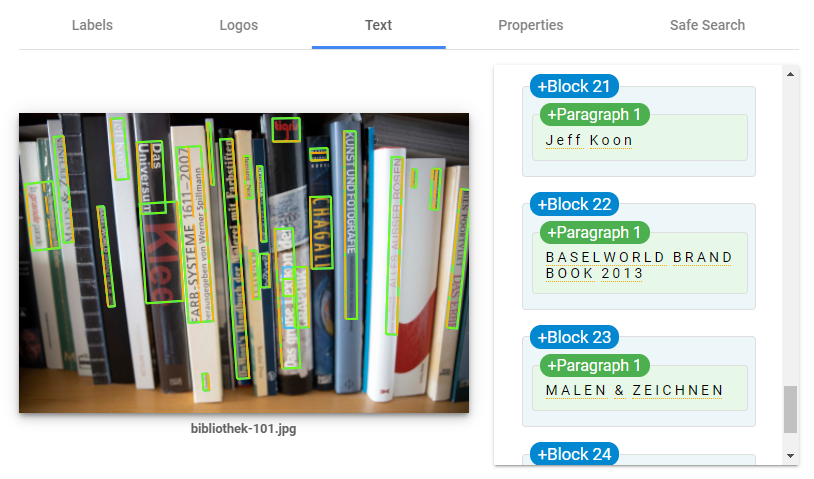
- Where is my Book?
Imagine: you have thousands of books and are not a very well organized person.
What you could do: make pictures of your bookshelf and let the pictures process in TAGGER.biz: TAGGER.biz (with Google Vision) will find the titles you were looking for!
- Detailed image descriptions
Get to know your pictures: for learning purposes, or, if you haven’t a clue what the correct name of the object in the picture is, for instance:
Images of birds made on a holiday trip – but you have no clue which birds are on the picture
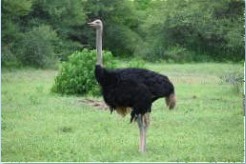
” “Ostrich”, “Flightless bird”, “Casuariiformes”, “Ratite”,
Did you know the word “Ratite”? I didn’t, it means ” having a flat breastbone without a keel, and so unable to fly.”
- Search for images in your collection (Lightroom c.s.)
Obvious, look at Elena’s samples above.
[/showhide]
___________________________________________________________________________________
An example of Keywording – MyKeyworder.Com, Microsoft Vision and Google Vision AI
Keywording samples from providers:
[showhide type=”keywordingSamples” more_text=”explain/don’t explain (%s Words)” less_text=”explain/don’t explain (%s Words)” hidden=”yes”]
To give you an idea what you will get after keywording:
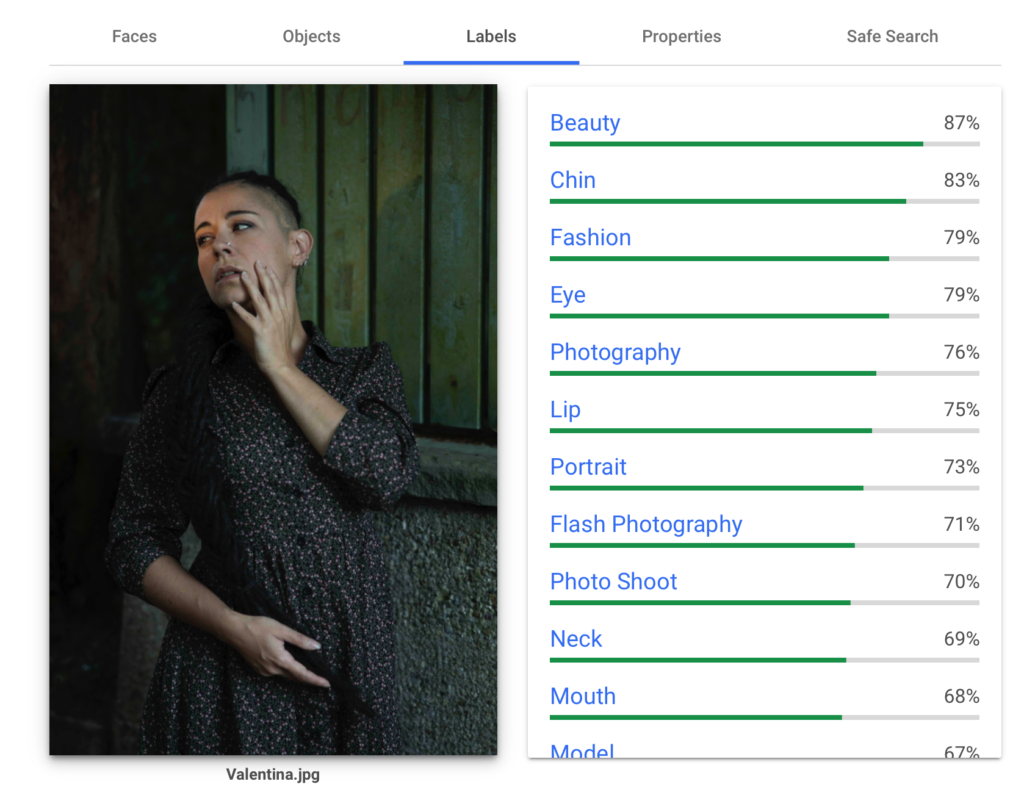
Below the photo of our beautiful model Miss Valentina the black pearl you see 2 examples:
1. sample tags created with MyKeyworder
2. sample tags created with Microsoft Vision
3. sample tags created with Google Vision AI
Tags created with MyKeyworder are very understandable and are also multilingual (21 languages supported).
Special: MyKeyworder even recognizes emotions (pensive below)
Tags created with Microsoft Vision need extra attention: it is possible to check the correctness of the given results because of the added confidence data.
Depending on what you want you can decide which keyword provider is best for you.
Google VISION AI is momentarily the best option, to our opinion.

sample tags created with MyKeyworder:
portrait; people; one; woman; model; adult; girl; wear; fashion; sweater; outdoors; fall; brunette; pensive; hair;
sample tags created with Microsoft Vision
Tags
[ { “name”: “person”, “confidence”: 0.9943188 }, { “name”: “human face”, “confidence”: 0.9937589 }, { “name”: “clothing”, “confidence”: 0.929762363 }, { “name”: “outdoor”, “confidence”: 0.911563754 }, { “name”: “woman”, “confidence”: 0.7938226 }, { “name”: “portrait”, “confidence”: 0.647688866 } ]
Description
{ “tags”: [ “person”, “building”, “outdoor”, “cellphone”, “phone”, “woman”, “talking”, “standing”, “holding”, “man”, “front”, “wearing”, “street”, “young”, “dress”, “suit”, “city”, “shirt” ], “captions”: [ { “text”: “a person talking on a cell phone”, “confidence”: 0.6652634 } ] }
Faces
[ { “age”: 26, “gender”: “Female”, “faceRectangle”: { “top”: 1003, “left”: 1051, “width”: 719, “height”: 719 } } ]
sample tags created with Google Vision AI
[/showhide]
_________________________________________________________________________________
Packages and how to order
If you decide to work with TAGGER.BIZ, click here